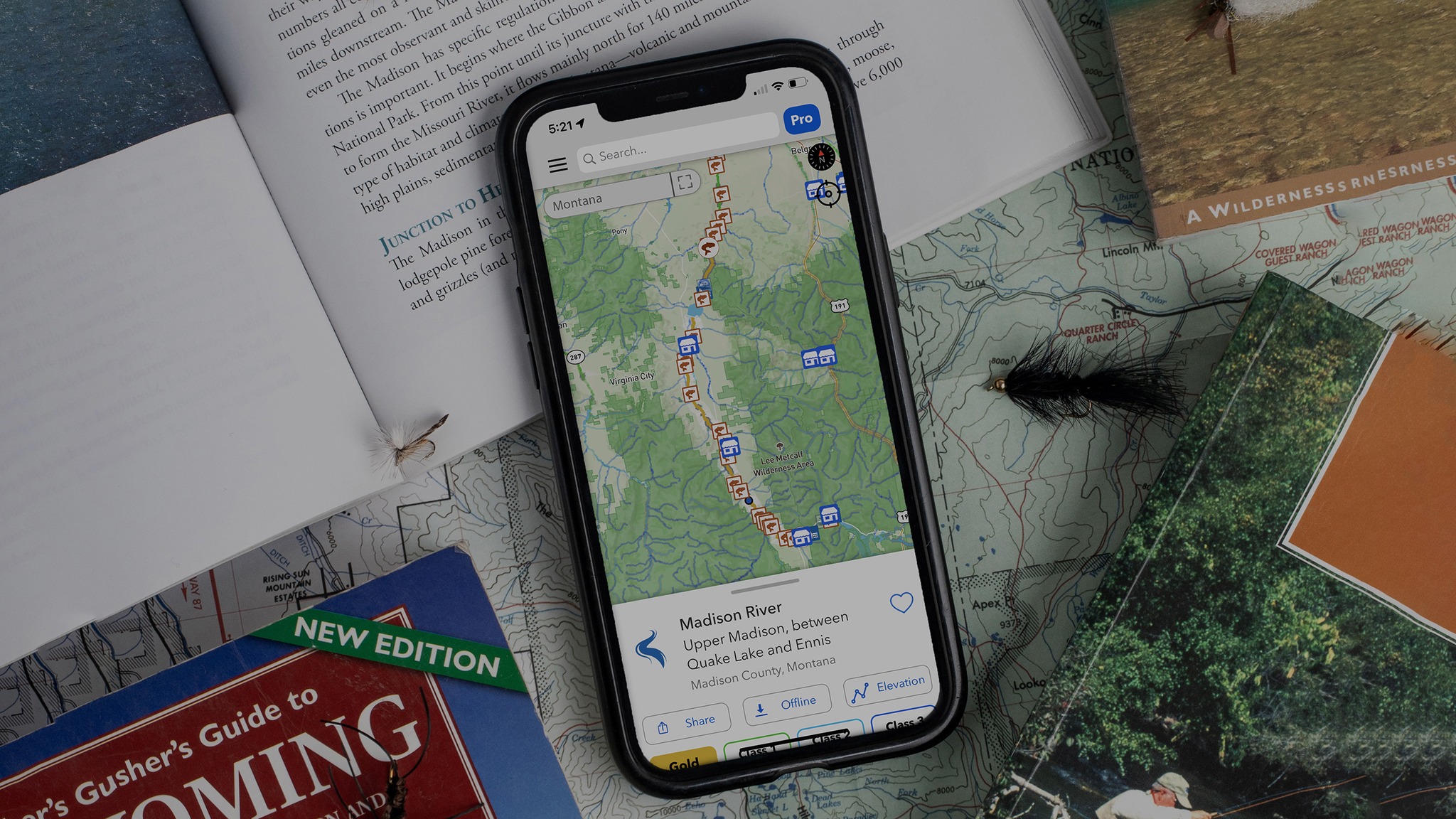
I recently sat down with Erik Johnsen from TroutRoutes and did something we’ve honestly never done before on the show. Instead of just talking through features, Erik pulled up TroutRoutes on his screen and walked me through exactly how he uses it to plan real fishing trips.
This one lives as a Spotify video, and if you can watch it, I highly recommend it. Seeing the map move, the layers turn on and off, and the markers drop in real time makes everything click. But I also wanted to put together this companion post because there’s a lot here — and it’s the kind of stuff that can completely change how you approach new water.
Hit play to start listening! 


TroutRoutes Walkthrough with Erik Johnsen
TroutRoutes works both on the web and as an app on your phone. Erik likes the web version for E-scouting because it gives you a wider view, but the cool thing is that anything you do on the web carries right over to the mobile app. There are over 50,000 trout streams across the country, and TroutRoutes has mapped all of them.
Stream Classification System
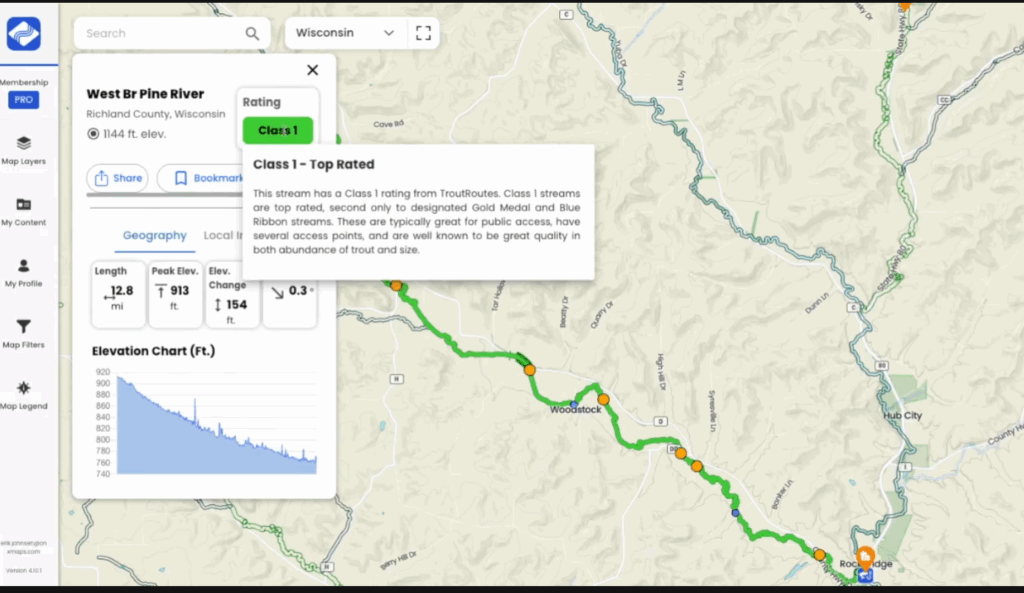
TroutRoutes takes all the different regional and state-based stream classification systems and rolls them into a single format. That same system is then applied consistently across the entire country. When you look at rivers in TroutRoutes, you’ll see clear classifications:
- Gold Medal / Blue Ribbon
– These are well-known waters with healthy trout populations and lots of access. - Class 1–2
– Good trout water, but with more limited access and generally fewer fish than top-tier streams. - Class 3
– More restricted access and lighter trout populations, but often overlooked.
As you move down the classifications, access becomes more limited, and trout numbers can change. Erik says this setup helps anglers understand, at a glance, what kind of water they’re looking at and narrow down where they want to fish.
If you want to explore more, you can pair those classifications with public land data to see exactly where access exists and how to fish it.
Personalizing Your Map: Custom Markers and Offline Access
You can use custom markers to plan a trip before you ever hit the water. Drop pins to mark meeting spots, access points, or notes you want to remember later. Using the same color for one trip makes everything easy to recognize when you’re out there with a group.
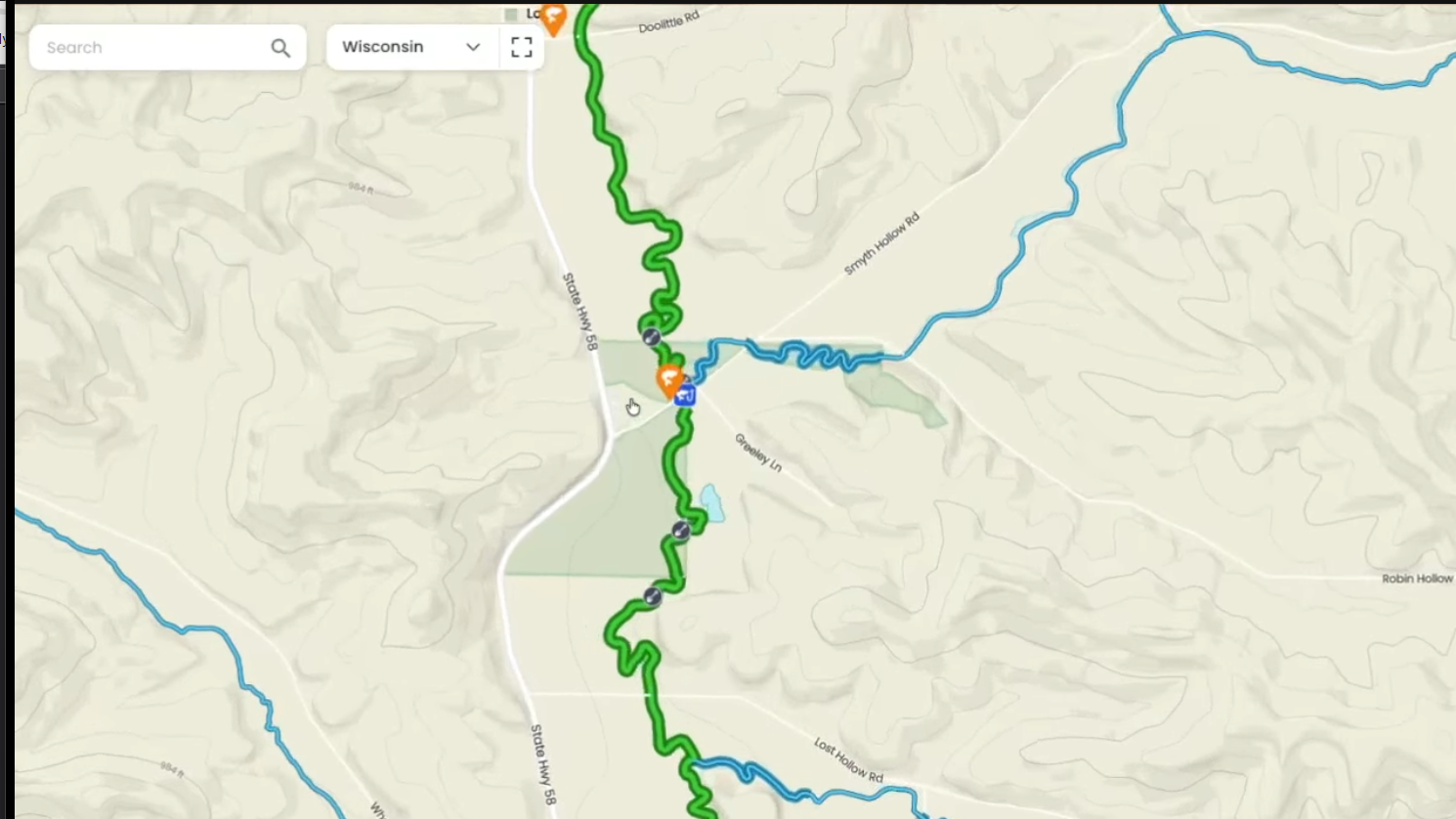
You can also read a lot just from the map itself. Line colors match the stream classification system, and thicker lines show stretches that run through public land or have public access on both sides. If you tap on a stream, you’ll see local details, access info, and any special regulations tied to that water.
Anything you save on the web version shows up on your phone automatically. When you need maps offline, you can download specific areas you plan to fish instead of whole states. You can remove them later, which makes it easy to manage space and keep the details you actually need.
Meetup Points and Restoration Zones
You can start planning a trip by looking for easy, recognizable meetup spots. Parks, lunch stops, gas stations, or cafes become natural meeting points, especially when fishing with a group. Marking those spots first helps narrow down which water makes sense to access nearby.
From there, the map helps narrow things down fast. Restoration sites show up with shovel icons, and you can see how long that work has been in the water.
Erik says when several of those projects sit within walking distance of one access point, that’s usually a good sign. A lot of time and effort went into improving that stretch, which makes it a smart place to start when you’re fishing somewhere new.
Navigating Access Points and Key Water Features
Spots marked with blue icons are official access points. Those usually mean a gravel pull-off, space for a few cars, maybe a trail, and sometimes even signs with local info or regulations.
Other access comes from bridge crossings. They’re not always marked as official access, but they still matter. Dropping a marker at those spots makes it easy to remember where you can park or slide into the water.
Satellite and 3D Views
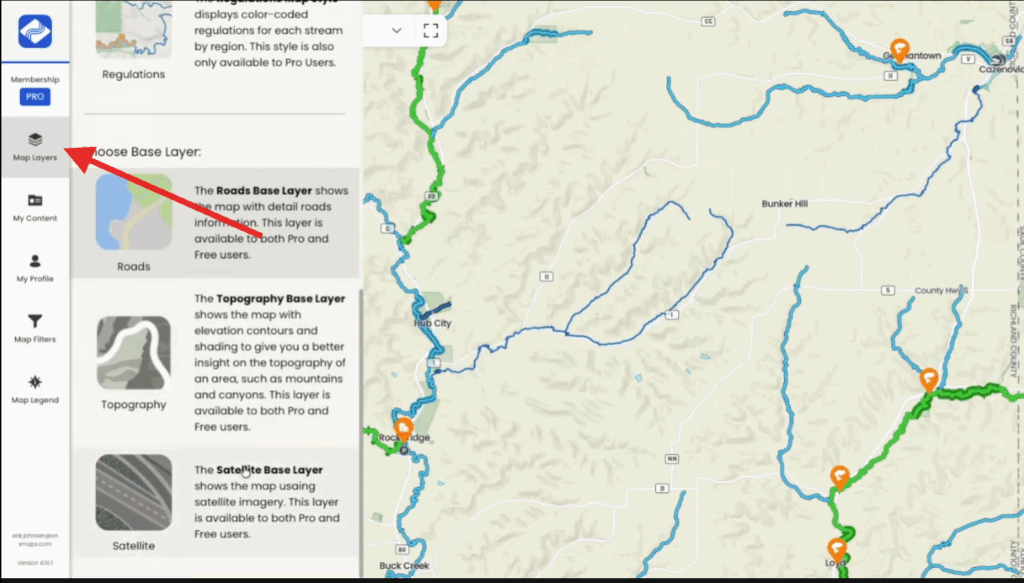
TroutRoutes lets you see what’s going on before you ever get there. You can turn on roads and guide layers to quickly see access points and public land, which helps take the guesswork out of where you can actually fish.
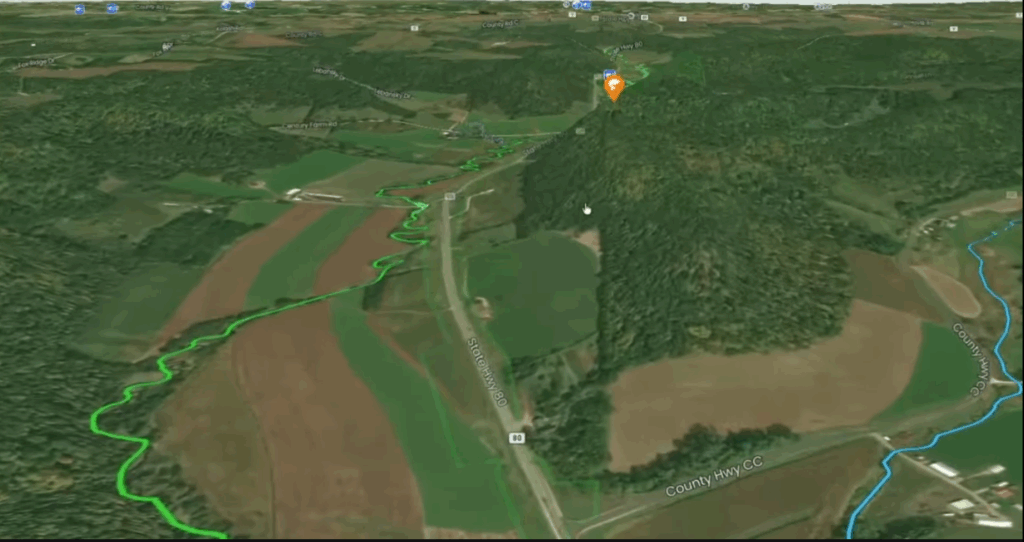
Turn on satellite view, and the picture gets clearer. You can see where a creek runs through open pasture versus dropping into trees, ravines, and valleys. That gives you quick clues about shade, water temps, and what kind of walk you’re about to take.
And if you want to take it one step further, the 3D view really helps. You start to see bluffs, slopes, and valleys instead of just lines on a map. It makes it easier to picture steep banks, tight sections, or spots where fish might stack up below a natural barrier.
Using Custom Markers
Custom markers aren’t just pins on a map. You can add notes to remember where to meet, what fly worked, or what conditions looked like. Those notes sync to your phone, so anything you save at home is there when you’re on the water.
They also help once you arrive. A spot might look perfect online, but it’s still worth checking nearby access points before jumping in. Water levels, pressure, or another car parked there can change the plan fast.
Erik says dropping a few extra markers ahead of time makes it easier to slow down, explore a little farther, and not default to the first obvious spot.
Check out this video on how to create and customize markers:
River Miles Calculator
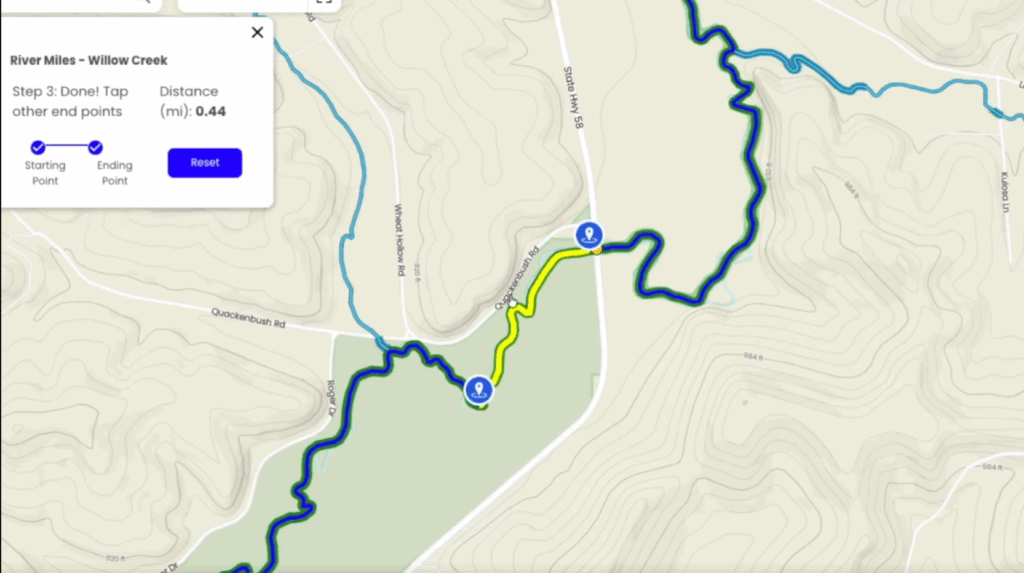
One tool that stands out is the river miles calculator. It was built with boats in mind, but it turns out wade anglers use it just as much. You can measure the distance between two points and see how far it actually is along the river, not as the crow flies.
That makes it easier to know what you’re getting into. A stretch that looks short on the map might be close to half a mile. Or it might be an easy 10 to 15-minute walk. Knowing that ahead of time helps with pacing, daylight, and deciding how far to push.
Is Your Fishing Data Safe in TroutRoutes?
Any notes you add stay private. Custom markers, pin notes, and stream notes all live inside your own account. That info is not seen, shared, or used in any way.
Everything you see on the map comes from public sources or licensed data that has been stitched together. That includes hundreds of datasets across the country.
Public land data now comes from OnX, which means you get the same trusted info for ownership and management. You can tap a parcel and see who manages it, with updates handled by the OnX team. Your fishing spots stay yours. The map data does the rest.
📌We did a full episode on the TroutRoutes and OnX acquisition and what it means for public land access, mapping, and anglers. If you want more context on how this all fits together, this episode is worth a listen:
823 | Erik Johnson on TroutRoutes – OnX Integration, Stream Gauges, Offline Maps, and E-Scouting for Anglers
How Do You Balance Fishing Pressure and Ethics on the Water?
We’ve heard this question a lot. The concern is loving rivers to death. Erik’s take is simple: even a small area holds a lifetime of water. The goal isn’t to send everyone to the same famous spots, but to show where all the public access is.
When anglers have more options, they spread out. If one pullout is packed, it’s easier to look nearby, cross a ridge, or try a less obvious stretch. Those quieter sections often fish just as well, sometimes better. The challenge is taking what you know and using it somewhere new, which helps both the fish and your fishing.
Does TroutRoutes Show What Species Live in Each River?
Right now, the focus is on trout water. If a river is mapped, you can expect trout habitat. There are no guarantees on numbers or size, but you’re being pointed to the right kind of water.
Erik says species-specific layers are being worked on, with some interesting data sets in the pipeline. Stay tuned for that!
What Else Do You Look At When You’re E-Scouting a New Spot?
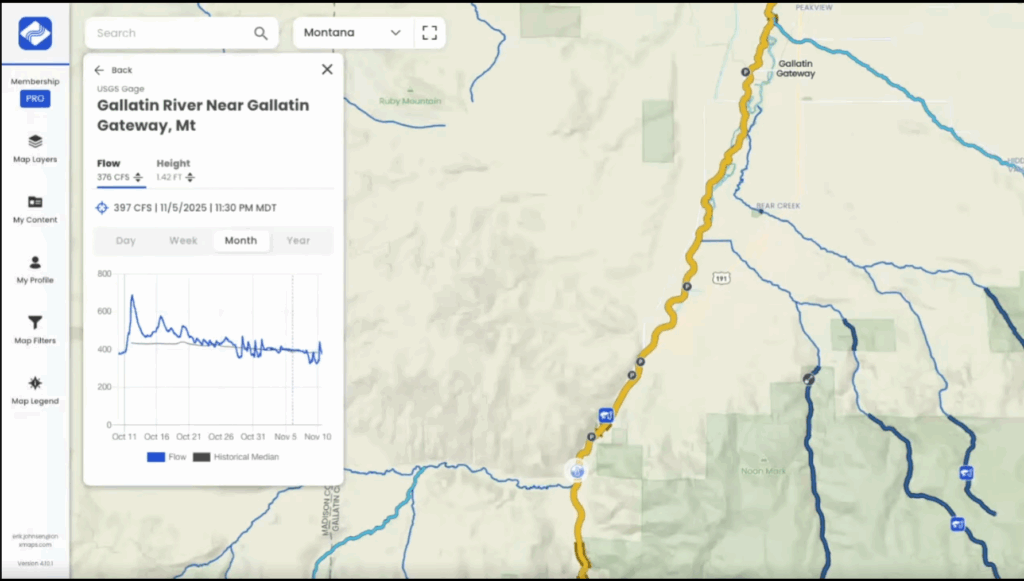
Beyond gradient, land ownership, and remoteness, stream gauges are a big piece of the puzzle. Especially on bigger water, flow, and height matter. TroutRoutes pulls in USGS gauge data so you can see how a river behaves over time, not just on one day.
You can check seasonal flows, spot big rain events, and compare current levels to the historical median. Flow tells part of the story, but river height is just as important, especially if you’re wade fishing. Gauges upstream and downstream can look very different, even on the same river.
The idea is to zoom out, look at the whole system, and use that info to decide where to go, or where to skip, before you ever hit the road.
Can You See Things Like Boat Ramps, Parking, and Fly Shops on the Map?
Yes. All of that is already built into TroutRoutes. You can see access points, parking spots, stream gauges, and even fly shops right on the map. There’s nothing extra to download. It’s just there when you open the app.
Connect With TroutRoutes
This was honestly just fun to dig through. Seeing TroutRoutes on screen made it a lot easier to understand how people actually use it, not just what it can do.
If you want to dig into it more:
Website: TroutRoutes.com
App: Available on iOS and Android
Follow them on Socials:
You can try the pro features before committing, which makes it easy to explore and start mapping out your next trip.